Document chunking
The document chunking page provides functionaly to chunk and summarize documents like pdf, docx, txt, csv and zip files using different strategy and AI.
Create new document name
Using + button on top right to add new document name

Upload new document for chunking
Using upload button on top right to upload new document for chunking

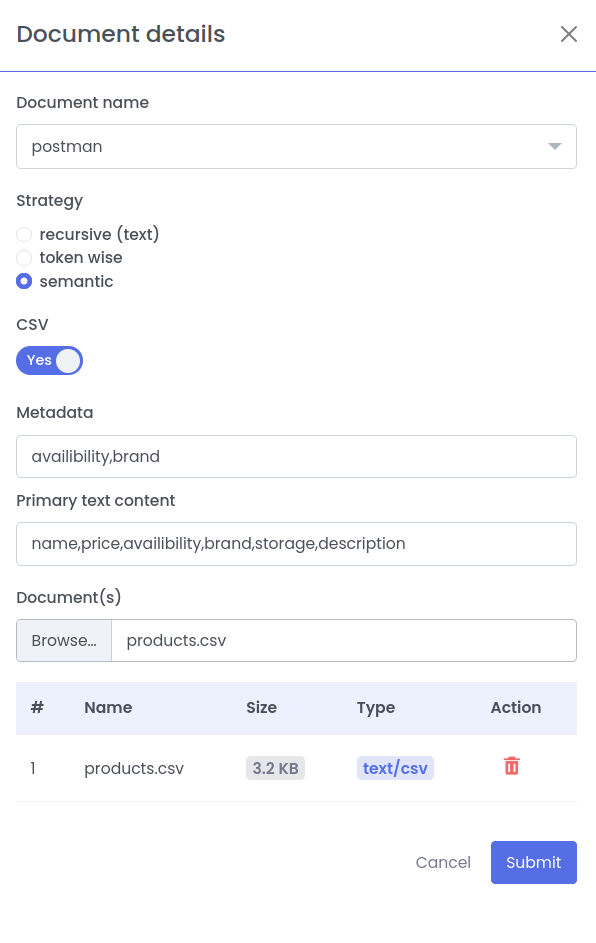
Document details
- Select the document name from the dropbox
- Select strategy:
- recursive (text): Recursive chunking is a text-splitting technique that breaks down large documents hierarchically. It uses a ranked list of separators (e.g., paragraphs, lines, spaces) to split text.
- semantic: Semantic chunking is a preprocessing technique used to break large documents into smaller, meaningful segments.
- CSV option
- If you want to chunk the csv file toggle the csv option
- Metadata: A list of csv columns (comma seperated) which needs to be added as metadata
- Primary text content: A list of csv columns (comma seperated) using which the summary is be generated using AI
note
- Each row in the csv file will a chunk
- Select files: Select file which needs to be chunked
- Click Submit button to send chunking request.
Show chunked document
- Select the document name from the dropdown
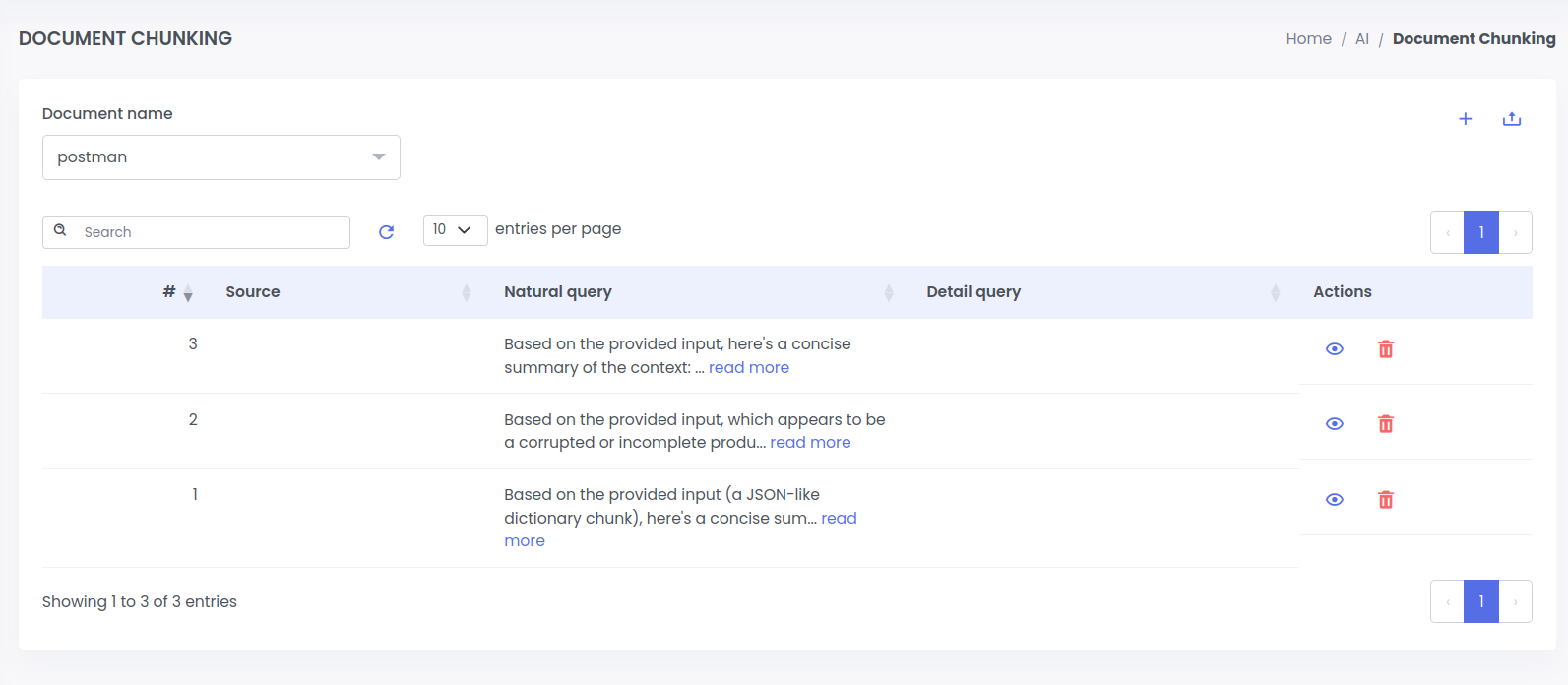
- The Natural query shows the AI genereted summary of the chunk
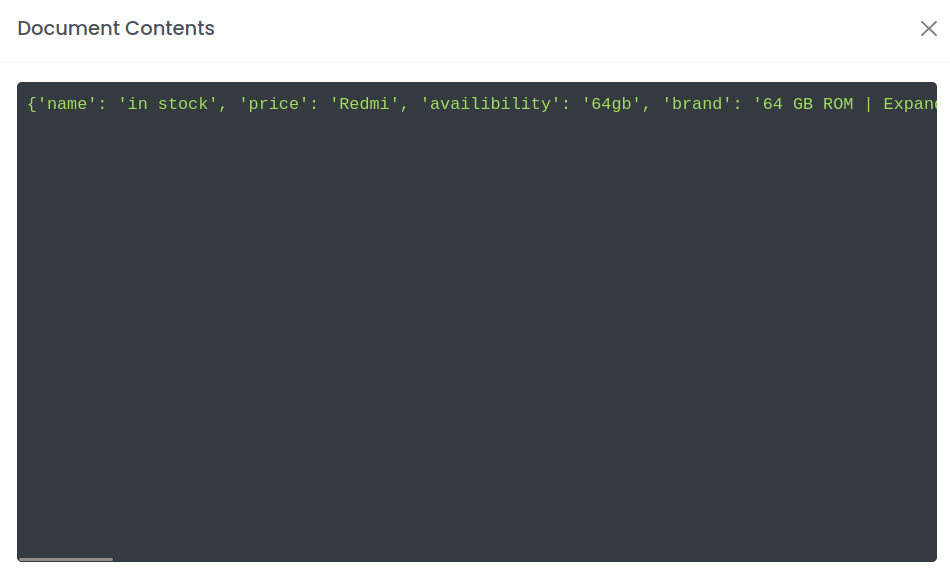
- Click eye button in Actions columns to view the chunk document
- Click delete button to delete the chunk